Disaster Triage Simulation
From Storyline prototype to responsive games built with Codex.
I designed and built three responsive triage simulations that turn complex clinical protocols into scenario-based practice in assessment, treatment, and prioritization. This case study features the tornado scenario.
The Challenge
The training was built around the combined START and JumpSTART algorithms—a dense, multi-branching clinical flowchart. The challenge was to turn this theoretical model into an intuitive simulation where learners could practice making triage decisions under pressure.
Complex clinical algorithm
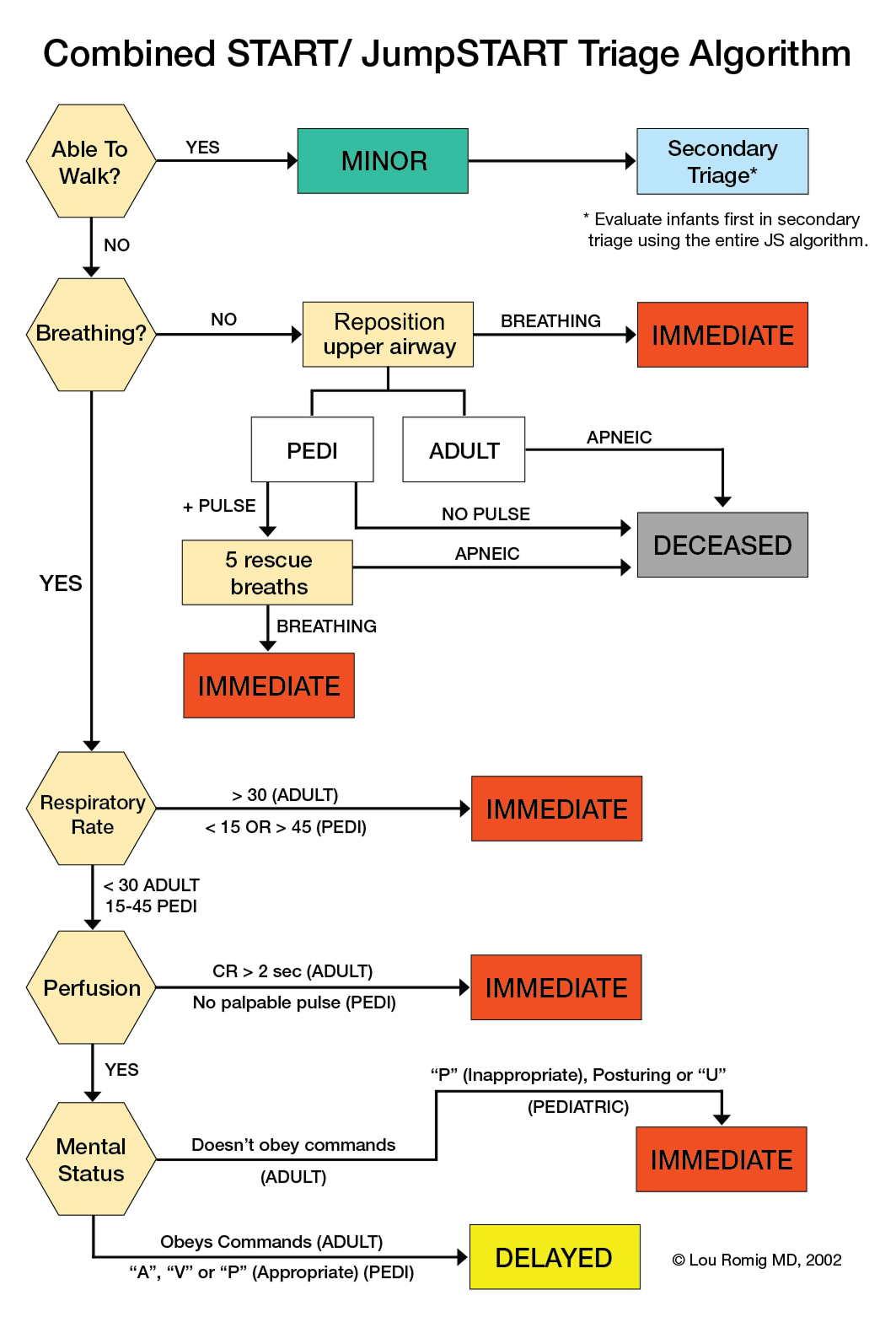
Follow assessment criteria through a branching flowchart.
Simulation interaction

The Design
I translated the clinical algorithms into an interactive experience centered on assessment, prioritization, and decision-making. An optional practice case lets learners try the triage interaction before entering the timed simulation.
- Clinical reasoning through scenarios: Learners begin with limited visual information and actively assess ambulation, breathing, and perfusion. Treatment can change a patient’s condition, so they use updated patient feedback to assign priority; the debrief then explains the rationale.
- Time as a consequence: Every assessment or treatment takes time. Unnecessary actions consume valuable seconds within the SME-defined 7-minute goal, encouraging learners to prioritize essential assessments and treatments.
- Continuous performance feedback: SME-defined scoring rewards correct decisions and penalizes critical errors. Alongside the score, changing patient responses guide the next decision without interrupting play with detailed explanations.
Text walkthrough · Assessment, treatment & triage
- Open Tyler’s patient view and review the visible injury description before choosing an assessment.
- Use the Assessments controls to gather findings. The demo identifies that the patient is not breathing.
- Switch to Actions. Airway repositioning and BVM breaths produce updated feedback: the patient begins breathing. Each assessment and treatment adds to the elapsed time.
- Use the updated findings to assign a triage priority, then return to the scene to continue with other patients.
- Debrief after the scenario: Detailed explanations follow the scenario so learners can stay focused during play. The debrief connects patient feedback and the learner’s assigned priority to a clinical rationale, then compares recommended assessments and treatments with those performed. Learners can retry to apply what they reviewed.
Text walkthrough · Scenario debrief
- Review the scenario tables, which compare each patient’s recommended tag, assigned tag, and triage time.
- Select a patient to open a detailed breakdown. The demo opens Tyler’s case.
- Compare the assigned and recommended tags, then read the rationale explaining the recommended priority.
- Review the assessment and treatment tables to compare recommended actions with those performed, and identify decisions to revisit on a retry.
The Evolution
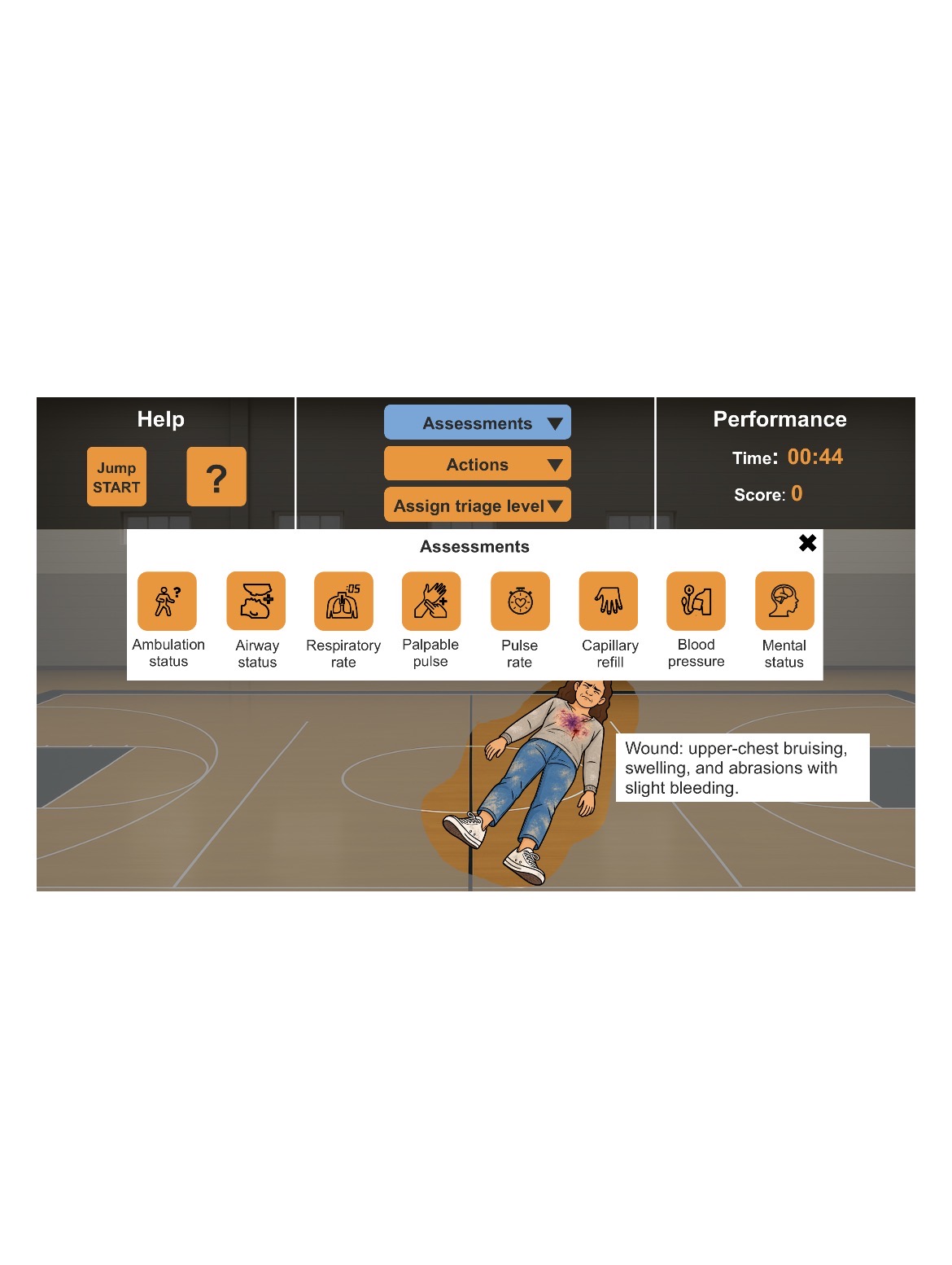
The constraint: mobile usability. I initially built the simulation prototype in Storyline, but its landscape layout scaled down on a phone, making patient details and controls too small. The client prioritized mobile usability, so the experience needed to adapt to a narrow screen.
The decision: a responsive web experience. I proposed developing web games with Codex, keeping the decision sequence and game mechanics from the Storyline prototype while introducing different patients and scenes.
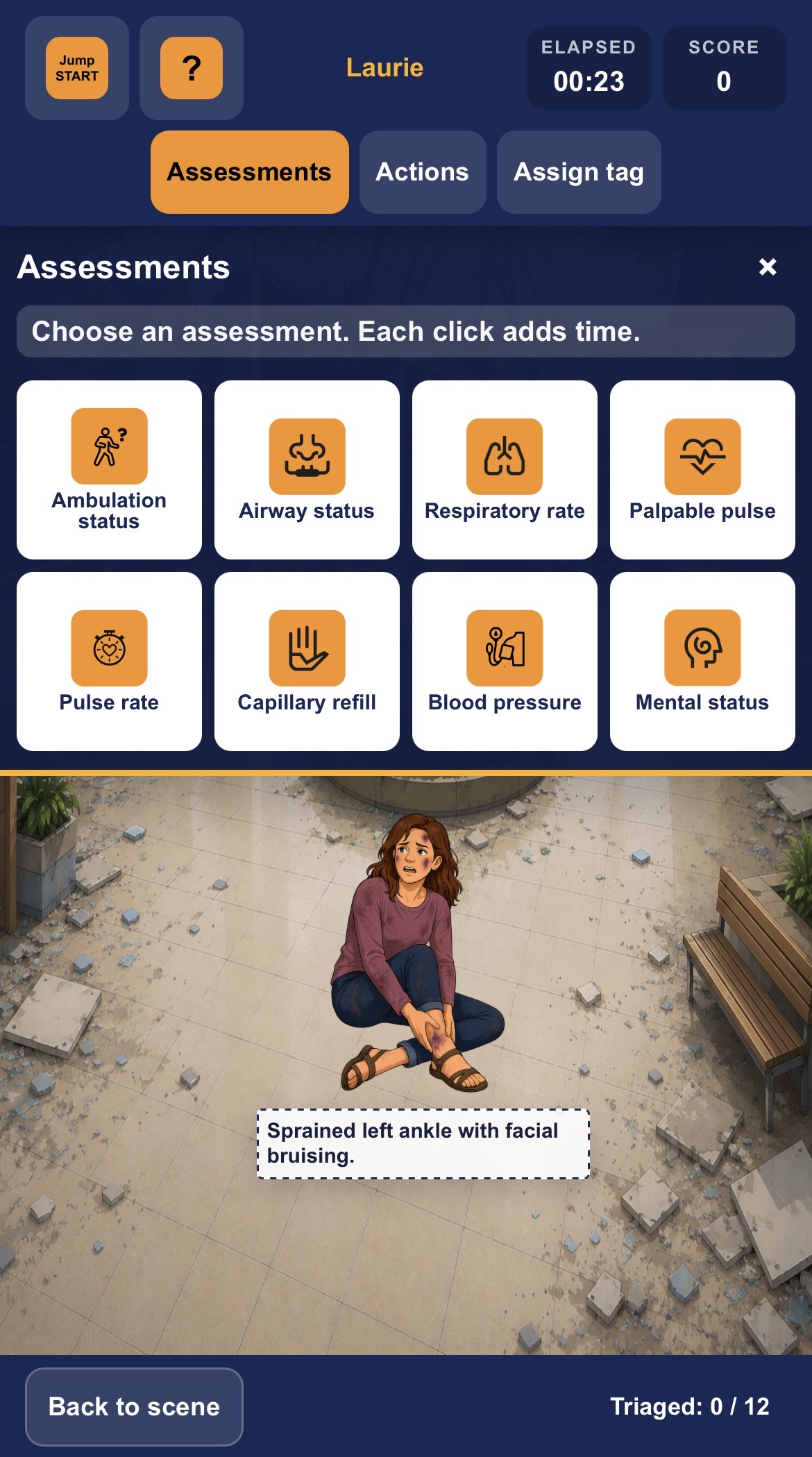
I shared the prototype and game mechanics with Codex as the build reference, then refined the implementation across devices. The phone comparison below shows the change: assessment choices wrap into rows above a full-width patient scene, rather than shrinking with the entire landscape interface.
Before · Storyline prototype
After · Responsive web game
The Deliverable
I built three responsive, browser-based triage games for a course on PPN Learn.
SMEs and clinician reviewers responded positively to the simulation’s UI and UX design, mobile usability, and opportunities to practice triage decisions.
Reflection
Prototype first, then use AI to accelerate development
The Storyline prototype ultimately became extremely valuable when I transitioned to building the responsive simulation with Codex. By that point, I had already worked through the game mechanics, interaction logic, UI, visual direction, and overall learner experience. Instead of asking AI to invent the experience from scratch, I could use the prototype as a clear design specification and translate an established experience into code.
At the same time, AI-assisted development did not eliminate the need for careful UX work. Cross-device testing revealed many small interaction, layout, and usability issues that required repeated refinement. My takeaway was that AI can dramatically accelerate implementation, but strong prototyping, testing, and human judgment are still essential to producing a polished learning experience.